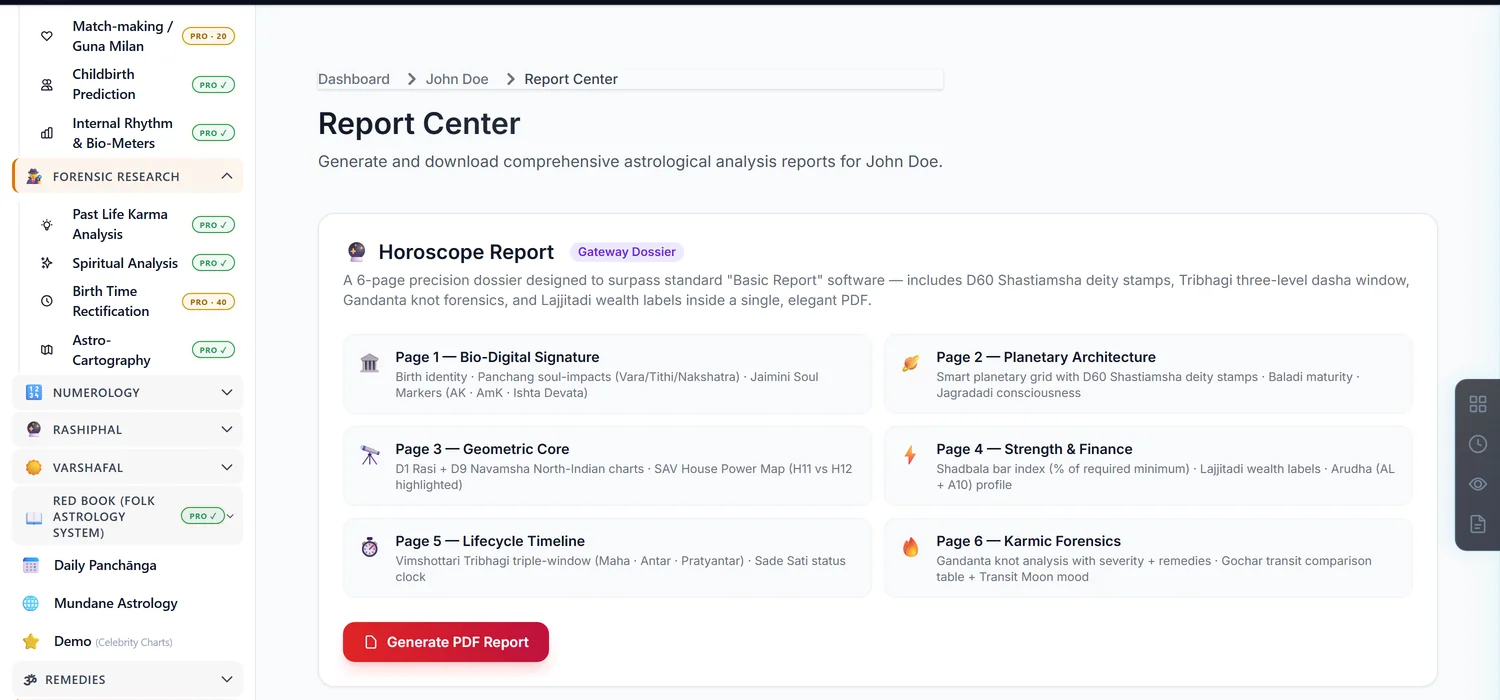
Report Center is a launch hub for downloadable PDFs — it is free to open and browse, but the individual reports it links to can each carry their own credit cost.
Before you start — the hub is free, individual reports may not be
Opening Report Center and browsing every tile costs nothing. The price only appears when you click Generate PDF or Download PDF on a specific report — there is no upfront price shown on the tiles themselves. If a report belongs to a paid module you haven't unlocked, clicking generate will prompt for credits at that moment, not before.
Step 1 — Open Report Center
Open a saved chart. In the sidebar, under Reports, click Generated Report Center.
Step 2 — Know every download is regenerated fresh
This is not an archive of past reports. Every click on Generate or Download rebuilds the PDF from the chart's current data at that moment, streams it to you, and does not store a copy on the server. Re-downloading the same report later will reflect any changes made to the chart since.
Step 3 — Know what's genuinely free here
The flagship Horoscope Report (Karmic Blueprint) is free to preview and download. Everything else on the grid links out to that report's own module — Career, Health, Astro-Cartography and so on — each carrying whatever price that module already has.
Common mistakes
- Assuming every report in the hub is free because browsing it is. Only the flagship Horoscope Report is; the rest depend on their own module's price.
- Expecting a saved history of past downloads. Nothing is stored; every click regenerates from scratch.
If something goes wrong
- "Purchase this module to generate the report." That specific report belongs to a paid module you haven't unlocked; unlock it from its own page first.
- "Report is still being generated." Wait a moment and try the download again.