Transit Analysis shows how every planet's current position interacts with a chart right now, plus a forward search tool for finding the next time a planet enters a house, sign, or turns retrograde. It is free.
Before you start
You need a saved chart with its calculations complete. Unlike most other chart pages, this page does not currently check who is viewing it — treat any transit link you share as visible to whoever has the link, not private by default.
Step 1 — Open Transit Analysis
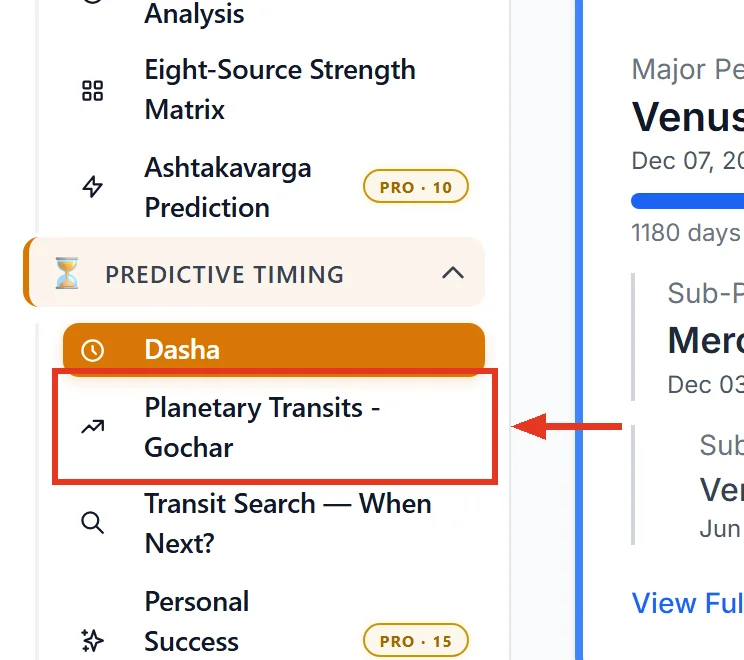
Open a saved chart. In the sidebar, under Predictive Timing, click Planetary Transits — Gochar, marked FREE.
Step 2 — Choose a date
The page always analyses one specific date, defaulting to today. Use the date field and Go to jump to any date, or Today to return to now. For "when will this next happen" questions, use When next? →, which opens the separate Transit Search tool.
Step 3 — Read the Final Verdict first
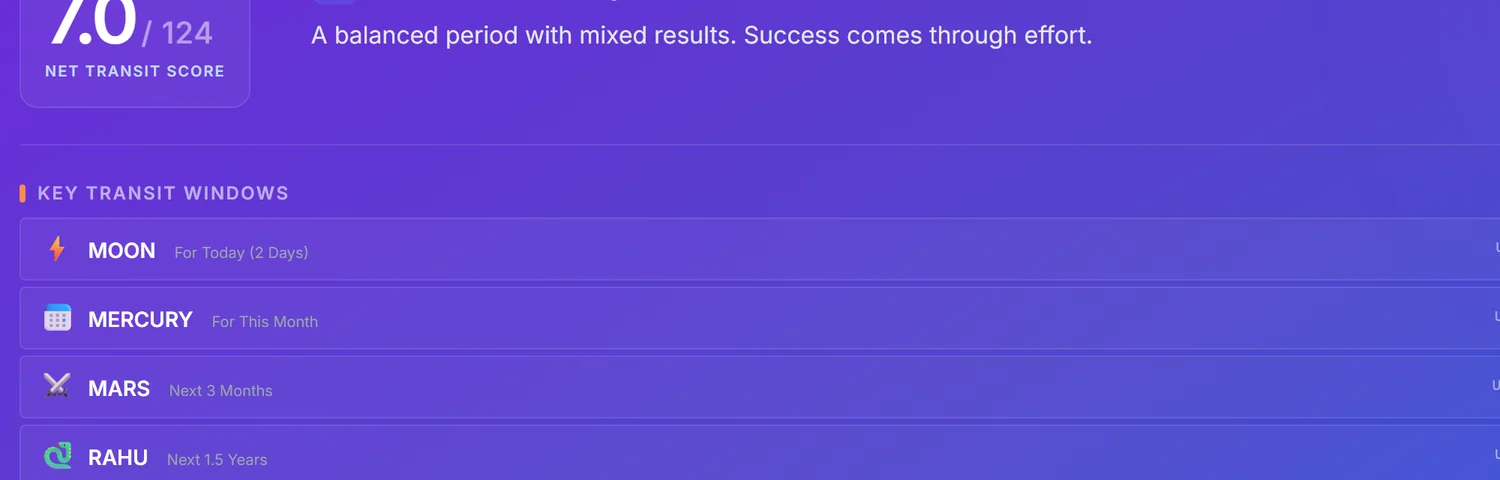
The Net Transit Score and its title — Excellent Time, Good Time, Mixed/Average, Challenging, or Very Difficult — is the single-number summary. Below it, Victorious Transits and Challenges to Watch list the three strongest supporting and opposing planets for the chosen date.
Key Transit Windows then breaks the same verdict down across several horizons — today, this month, next three months, next year and beyond — so you can see whether a good or bad period is short-lived or sustained.
Step 4 — Read a planet's card
Each planet shows a Net Verdict badge, a progress bar for how far through its current sign it has moved, and its house position counted From Moon and separately From Lagna — the two can give different answers, and both are shown because different traditions weight them differently.
Where present, an Ashtakavarga Check line cross-references the same house's bindu strength from the Ashtakavarga Matrix page — this is the direct link between the two features. Not every planet card carries this line; its absence does not mean anything is wrong.
Step 5 — Read the significance badges correctly
A planet that is currently the running Mahadasha or Antardasha lord, or is retrograde, gets weight badges: Mahadasha 3.0x, Antardasha 2.0x, Retrograde 1.2x. These are not independent multipliers — they stack additively on a base weight of 1.0. A retrograde Antardasha lord is weighted more than either badge alone suggests, not simply 1.2 or 2.0 times.
Special alerts
Sade Sati and related Saturn alerts appear in a red box when severity is 6 or higher, amber otherwise. Tarabala shows the Moon's daily relationship to the chart's birth nakshatra as Beneficial or Challenging — a simplified two-way read of a finer nine-tier classical system, so treat a Beneficial reading as a general green light, not a guarantee.
Using Transit Search
Pick a planet and a question — enters a house, enters a sign, or turns retrograde/direct — and the tool finds the next matching date. Sun and Moon will correctly report they never turn retrograde if you ask that question about them. The page also includes a three-year sign-change calendar for the slow movers, with retrograde entries marked (R).
Common mistakes
- Reading weight badges as separate, exclusive multipliers. They stack additively on one base weight.
- Assuming a missing Ashtakavarga Check line means an error. It only shows when that data is available.
- Treating a Tarabala "Challenging" the same regardless of which of the four bad Taras it is. Some are far more severe than others; the badge does not distinguish.
- Sharing a transit link assuming it is private. This page currently has no access restriction.
If something goes wrong
- Mahadasha reads "SUN" unexpectedly. This is a silent fallback used when the chart's own dasha data could not be read — recalculate the chart.
- "{Planet} never turns retrograde." Correct for Sun and Moon; pick a different planet.
- "Nothing found inside the search horizon." The event you searched for does not occur within the tool's search window from today.
- "The search could not be completed. Please try again." A generic failure; retry, and contact support if it persists.