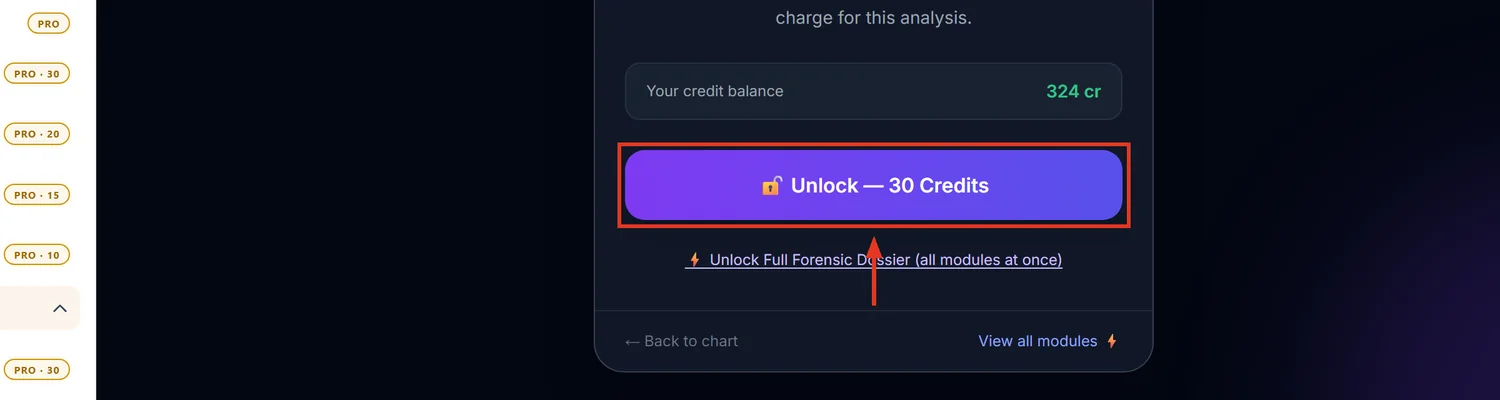
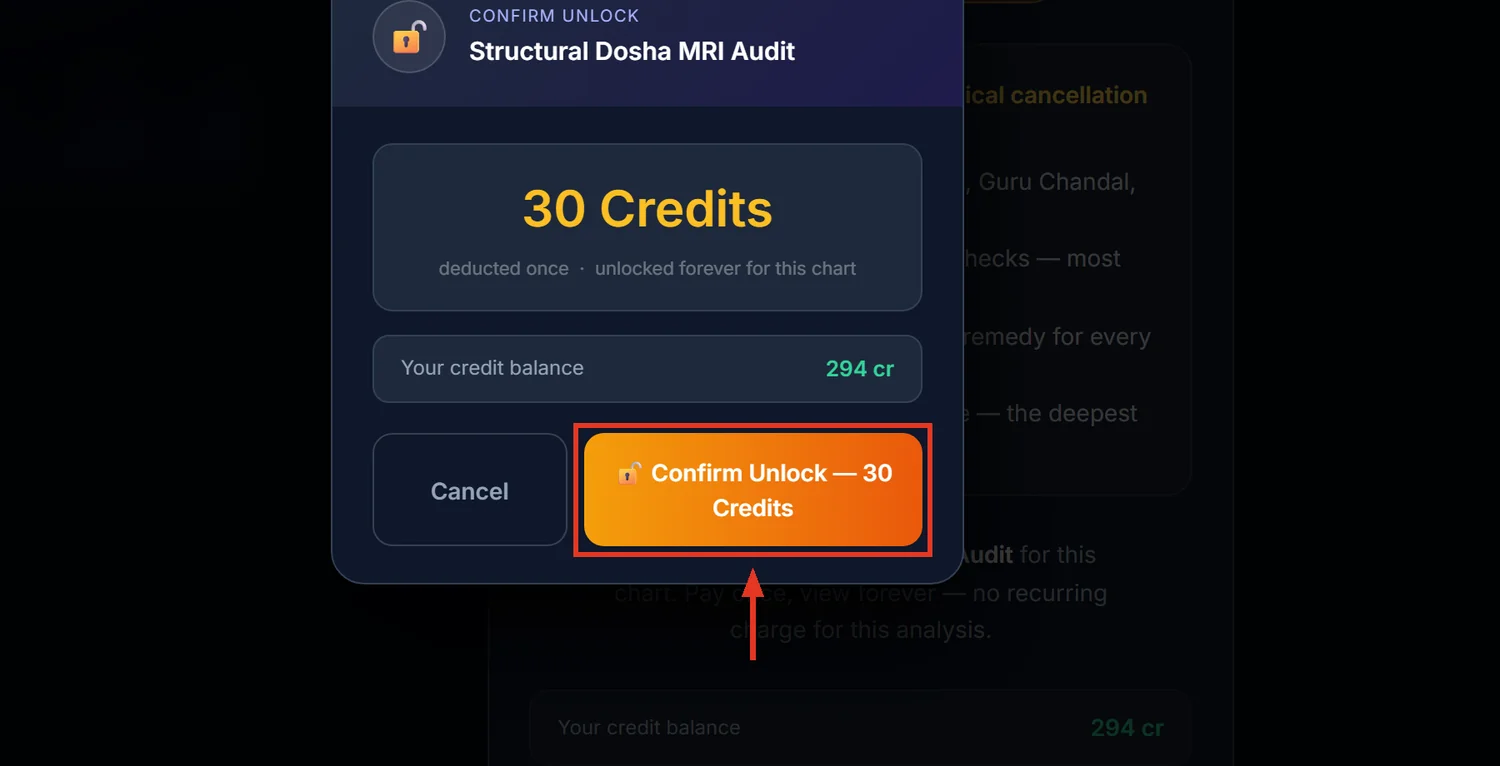
Dosha MRI is a full 30-plus-dosha structural audit — ancestral debts, mental afflictions, structural blockages, relationship doshas and transit cycles — each scored for real severity, not just geometric presence, with a full remedy prescription included. It costs 30 credits and is a lifetime unlock for that chart, unlike most paid modules.
Before you start
You need a saved, calculated chart. Like Career Analysis, there is no sidebar link — reach it from a Dosha Analysis or Dosha MRI card on Spiritual Analysis or the Past Karma dashboard.
Step 1 — Open Dosha MRI
Click the Dosha MRI Audit card. This is a deeper report than the plainer "Doshas" card elsewhere in the app — both currently point to the same page, but the MRI framing is the one worth knowing: full-spectrum audit across all divisional charts.
Step 2 — Understand why this costs the same as a much smaller report
30 credits buys six full sections of checks — vitality and combustion, major karmic and ancestral doshas, mental and lunar afflictions, structural and financial blockages, relationship and marriage doshas, and transit cycles like Sade Sati. Every dosha found is then re-scored by the actual strength of its ruling planet, not just whether the geometric condition exists — a weak ruling planet can discount a dosha's severity by up to 85%. That strength-gating step is what makes this report heavier to compute than a simple checklist.
Step 3 — Read the Affliction Index correctly
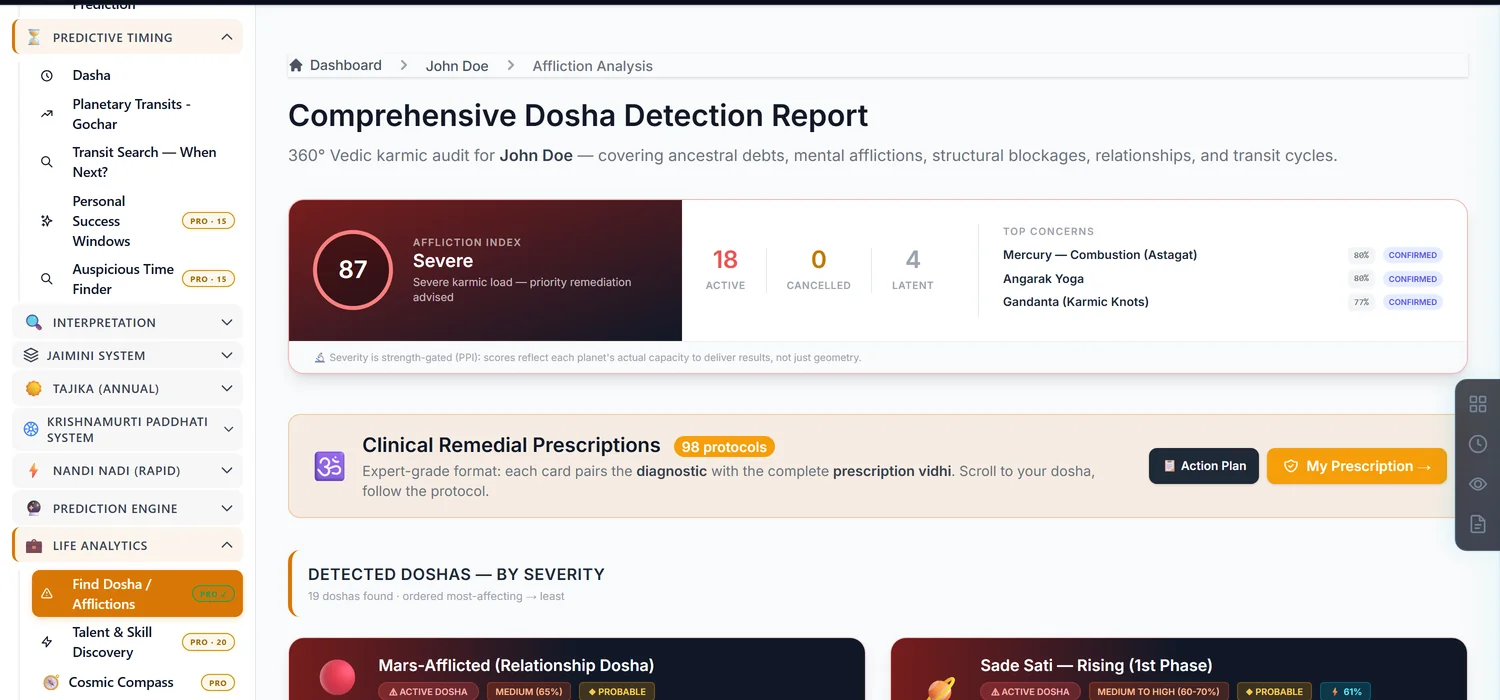
The headline Affliction Index is not a count of doshas found — it is the average of your five most severe active doshas, with a small bonus if several score high together. A chart can show many minor doshas and still carry a low, reassuring Affliction Index, because only the worst five drive the headline number. Scroll past the summary to the full list before concluding a chart is clean or badly afflicted.
Each dosha carries a confidence label — Confirmed, Probable, or Indicative — based on how many corroborating factors support it. Treat an Indicative finding as worth watching, not as settled.
Step 4 — Remedies are included, not a separate purchase
Every active dosha ships with its own prescription — mantra, daan (donation), diet and lifestyle rules, temple ritual, and wearable recommendations where relevant. A Consolidated Remedy Action Plan near the bottom deduplicates all of them into one printable checklist.
Step 5 — "Lifetime" does not mean the report never changes
Two things can change this report after you have paid for it, at no extra cost: transit-based doshas like Sade Sati are recalculated for free on every visit since they depend on today's date, and a platform update to the scoring engine will silently recompute the natal doshas the next time you open the page. Neither charges credits again — but do not assume the report is frozen forever.
The one thing that does invalidate the unlock: editing the chart's birth details. Despite being a lifetime purchase, changing date, time, place, ayanamsa or house system puts it back behind the paywall, same as every other paid module.
Common mistakes
- Reading the Affliction Index as a dosha count. It is the severity average of the worst five, not a tally.
- Treating an Indicative finding as confirmed. Check the confidence badge on every card.
- Looking for Vargottama here. It was moved to the Yogas report; this page no longer covers it.
- Assuming lifetime access means a frozen report. Transit doshas refresh automatically, and calculator upgrades can change results without a repurchase.
- Editing birth details and expecting the unlock to survive. It will not, lifetime purchase or not.
If something goes wrong
- A dosha you expected to see is missing or looks different after a while. A calculator version update may have recalculated it — this happens automatically and at no charge.
- "No Major Active Doshas" banner despite known chart issues. Check the Minor / Structural Notes section further down — items there are real but classed as latent or minor, not active.
- "Insufficient Credits." Top up before unlocking.