Cosmic Compass reads a saved birth chart and scores 12 life domains, then writes an AI life blueprint explaining the pattern. Use it when a client asks a broad question — "where is my life going" — rather than one narrow question about marriage or career.
Before you start
You need a saved birth chart. Cosmic Compass has no chart picker of its own — it opens from inside a chart. Create or open a chart first.
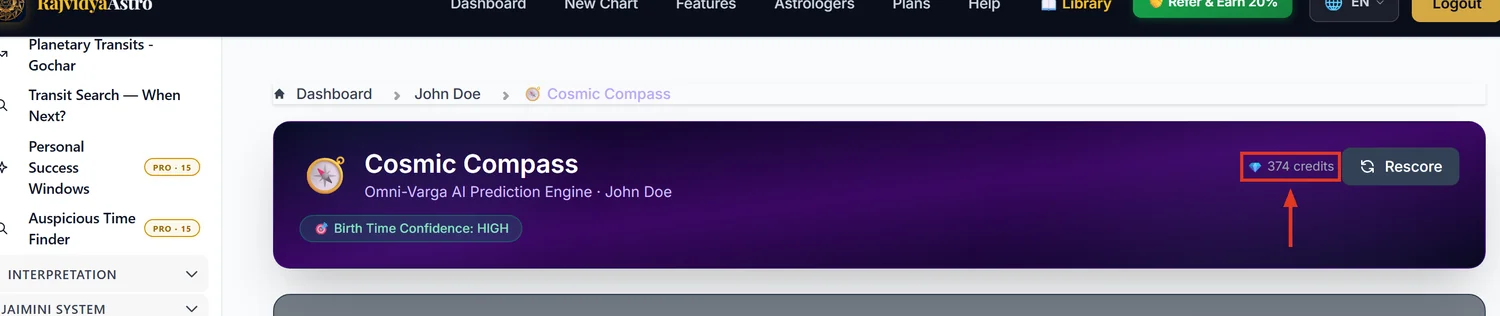
Exact birth time is not required. The screen shows a "Birth Time Confidence" label, but this is inferred from the shape of the time you entered, not measured. Do not present it to a client as a rectification result.
Step 1 — Where to find it
- Open any saved chart.
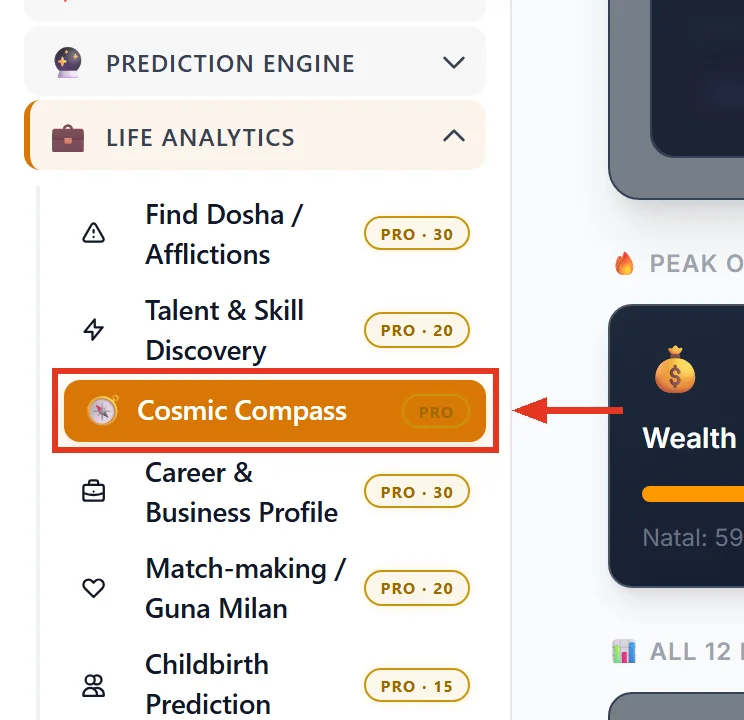
- In the left sidebar, expand the group Life Analytics.
- Click Cosmic Compass (compass icon, marked PRO).
The link only appears while you are inside a chart. From the main dashboard it is not in the menu.
Step 2 — Unlock the blueprint (20 credits)
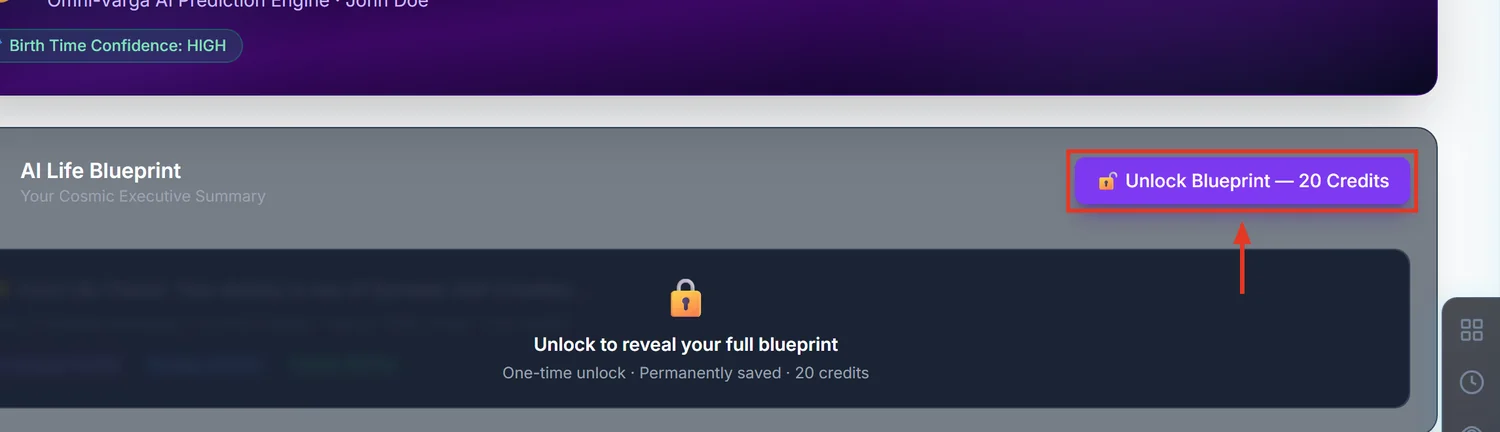
All 12 domain scores are visible straight away, free. What the 20 credits buy is the written AI analysis, not the numbers.
Click Unlock Blueprint — 20 Credits, or confirm the box headed Confirm Unlock for AI Life Blueprint.
This is charged once per chart, permanently. Re-opening that chart's Cosmic Compass later is free, and re-reading text you already generated is free.
Important: the unlock is tied to the birth details. If you later edit the date, time, or place of birth on that chart, the unlock is lost and the next visit costs 20 credits again. Get the birth data right before unlocking.
Step 3 — Reading the 12 domain scores
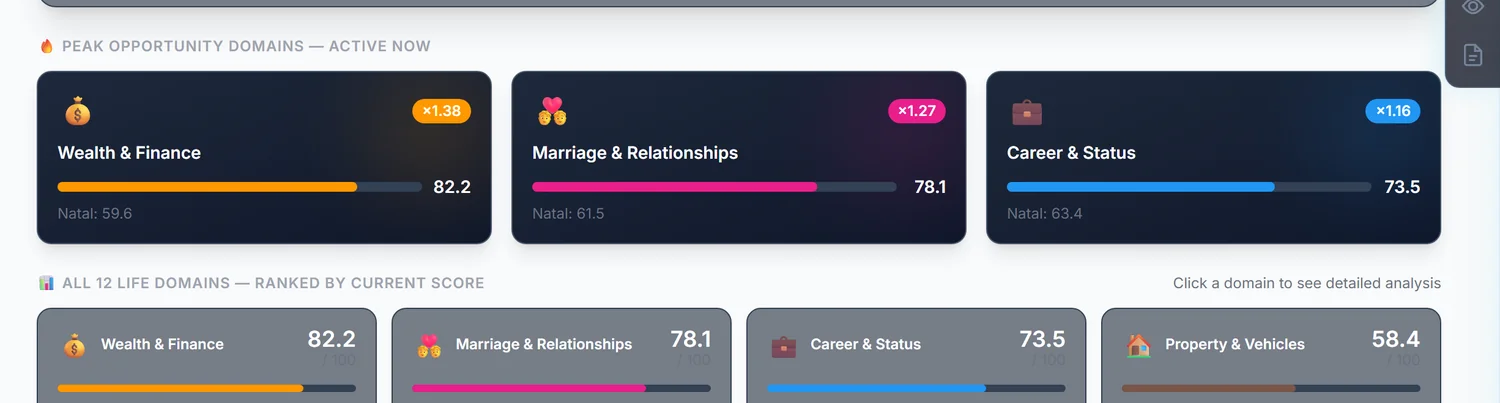
Above the grid, Peak Opportunity Domains — Active Now highlights the domains whose timing is strongest right now. Start a client reading there.
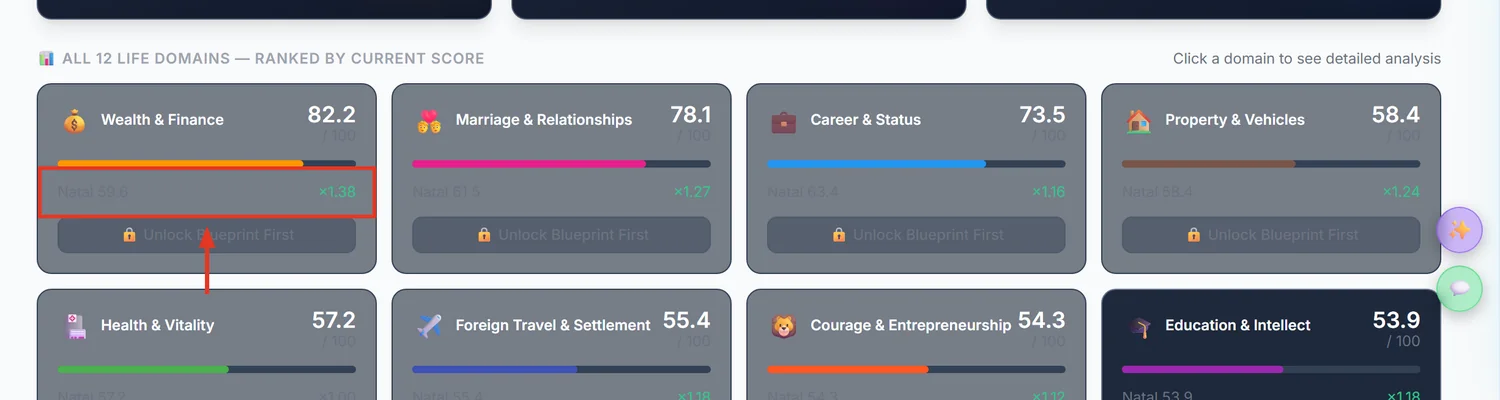
Under All 12 Life Domains — Ranked by Current Score, every domain shows two different numbers. Confusing them is the most common mistake:
- Natal — the promise in the birth chart itself. Fixed for life.
- The large number — the final score: natal promise multiplied by current timing (the running Dasha). This moves as the Dasha moves.
So a high natal score with a low final score means good lifelong promise in a weak period — worth telling a client to wait. A low natal score with a high final score means a favourable window on weak underlying promise — act now, expect limits.
The 12 domains: Marriage & Relationships, Career & Status, Wealth & Finance, Health & Vitality, Education & Intellect, Property & Vehicles, Children & Progeny, Foreign Travel & Settlement, Enemies, Debts & Litigation, Parents & Inheritance, Courage & Entrepreneurship, and Spirituality & Occult.
A warning triangle on a domain card means a karmic block was detected, which silently cuts that domain's score by 40%. Click the card to see the explanation.
Step 4 — Per-domain analysis (2 credits each)
Click any domain card to open it, then use the generate button for a written forensic analysis of that domain.
This costs 2 credits every time, including the first. The button is labelled "Regenerate" even when nothing has been generated yet. Generating all 12 domains costs 24 credits on top of the 20-credit unlock.
Once generated, re-opening that domain is free. Only pressing generate again charges again.
Rescore vs Refresh — know the difference
- Rescore — free. Recalculates the numbers only. The AI text is untouched.
- Refresh — costs the full 20 credits again. It rewrites the blueprint for a new planetary period. It stays greyed out until the client's Antardasha actually changes, which is the only time it is worth buying.
Common mistakes that waste credits
- Editing birth details after unlocking. Destroys the 20-credit unlock. Confirm the birth data first.
- Pressing generate on all 12 domains out of habit. That is 24 credits. Generate the 2 or 3 domains the client actually asked about.
- Pressing Refresh to get "newer" text. It costs 20 credits and only makes sense when the Antardasha has changed. Rescore is the free option.
- Quoting the big number as the client's lifelong potential. That number includes current timing and will change. The Natal figure is the lifelong one.
If something goes wrong
- The page loads but shows no domains. The chart is missing calculation data. Use Rescore to force a recalculation; if it stays empty, re-save the chart so it recalculates.
- "Insufficient credits". Top up from your subscription page. The message names how many credits the action needs.
- You must unlock the blueprint before any domain analysis. Domain generation stays locked until the 20-credit blueprint is unlocked on that chart.
- Generation failed after credits were taken. Contact support with the chart name and the domain — this is a known issue being fixed, and the credits can be returned.