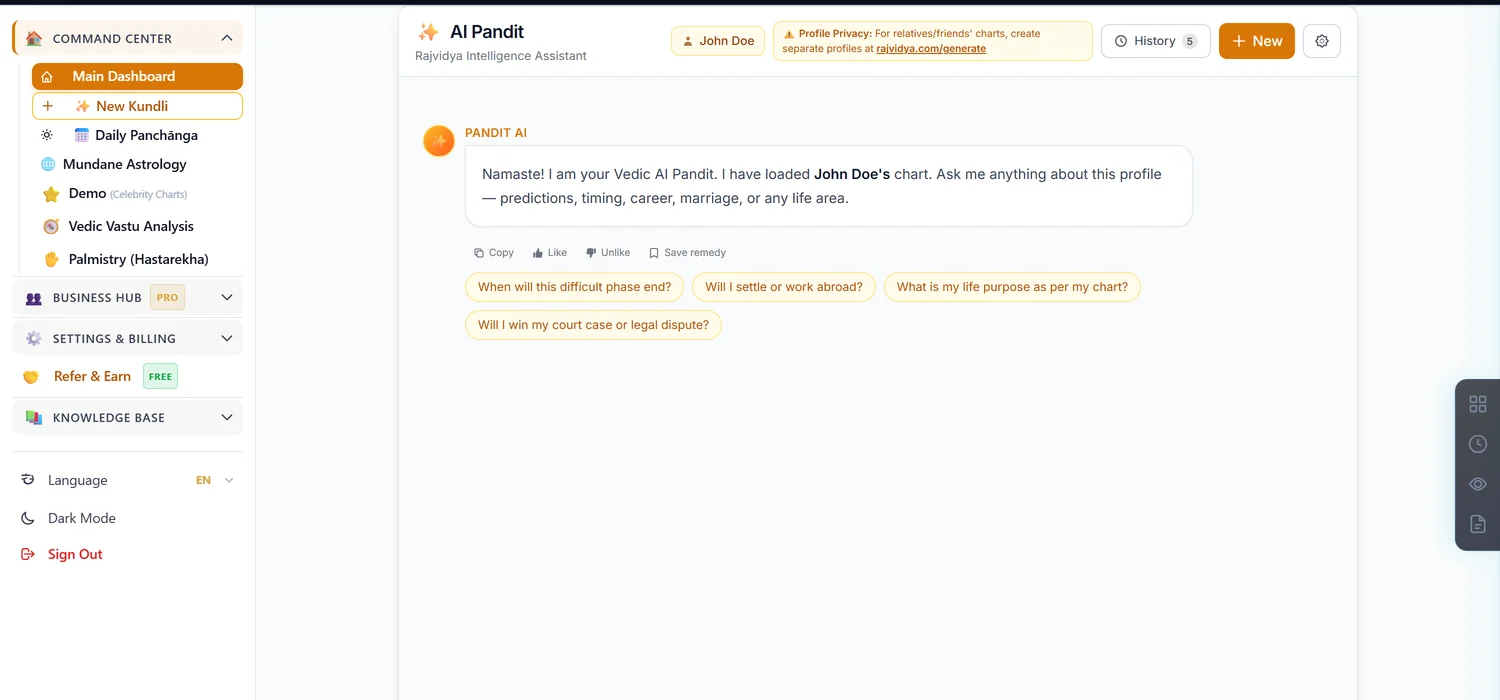
AI Pandit is a chat assistant that answers questions about a chart using an AI model with full access to the chart's calculated data. It costs 10 credits per message — every message, not a one-time unlock.
Before you start — ignore the "Free App" label
Some promotional copy on the site calls this "AI Pandit · Free App." That refers to the app itself being free to download, not to using AI Pandit — every message costs 10 credits, with one genuine exception below. Don't let a client believe questions are free based on that banner.
Your one real free question
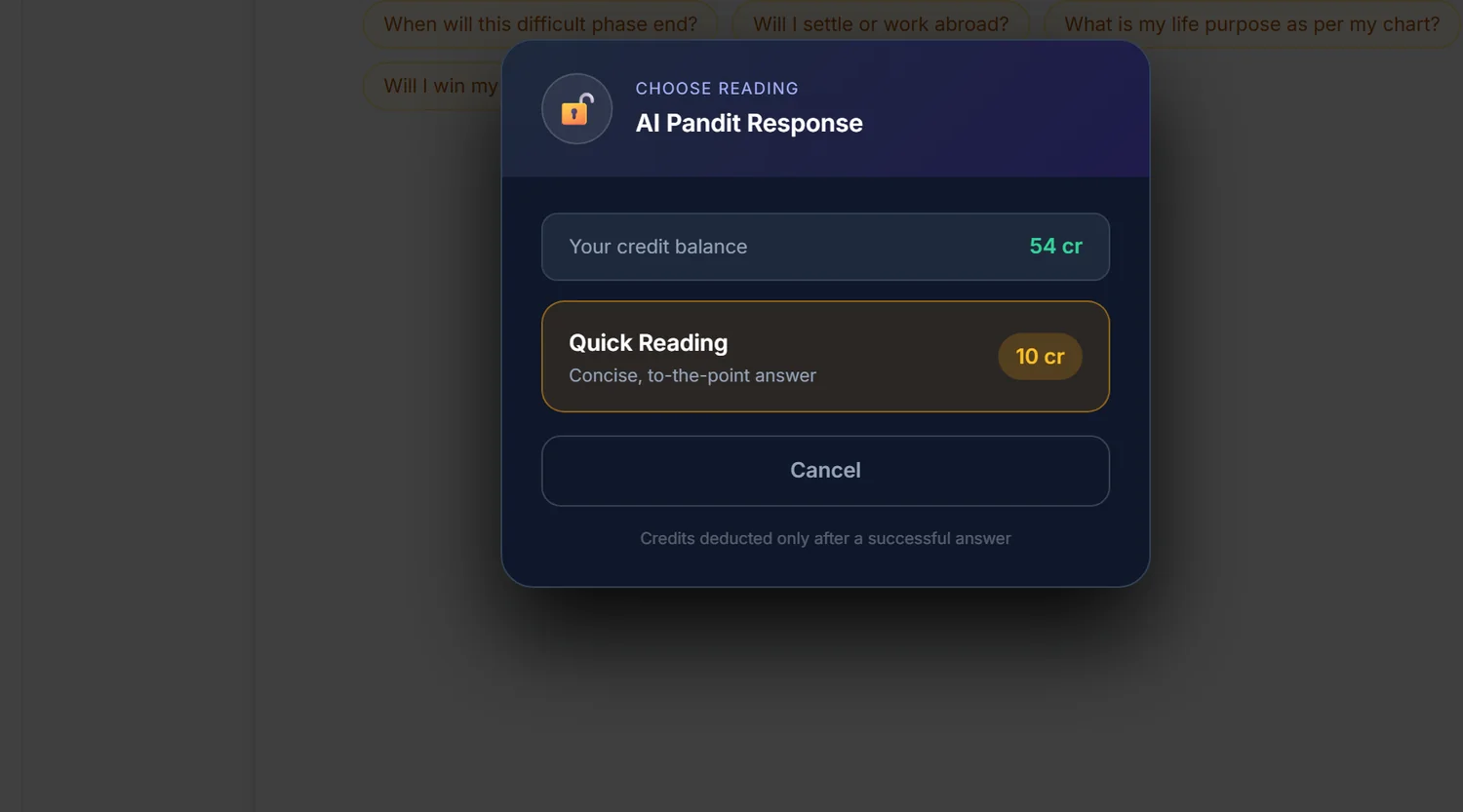
Every phone-verified account gets exactly one free question, ever — not a daily or monthly allowance, a single lifetime question. The unlock confirmation box will still show a credit price even on your free question — the system doesn't recognise the free question until after you send it. If you're on your first message and see a price, send it anyway; it may still come through free. Check your credit balance afterward to confirm.
Step 1 — Open the chat
Click the ✨ Ask AI Pandit floating button on any page, or the AI Pandit card on a chart's dashboard, or go directly to the AI Pandit chat page. All three lead to the same chat, with or without a chart attached.
Step 2 — Choose Quick or Deep before you send
Every message opens a choice: Quick Reading (concise, 10 credits) or Deep Analysis (a thorough multi-section reading, roughly double the cost). Deep Analysis is never eligible for the one-time free question. Pick Quick for a fast answer, Deep when you need a full written breakdown to hand to a client.
Step 3 — Attach a chart for a real answer
With a chart selected, AI Pandit reads that chart's full calculated data — planetary positions, dignities, yogas, Shadbala, nakshatra placements — before answering. Without a chart it answers from general Vedic astrology knowledge only. Always confirm a chart is attached before asking a chart-specific question.
Know the built-in limits
One message can carry up to 3 related questions; more than that and the system asks you to split them. There's also an hourly rate limit — asking too fast in one hour triggers a short cooldown message.
You are not charged when the answer fails
If the AI provider errors out or produces a degraded answer, no credits are deducted — the response explicitly confirms this. If credits are ever deducted for an answer later judged too short or flawed, they are automatically refunded and the chat shows a note confirming the refund.
Common mistakes
- Believing every message is free because of the "Free App" banner. It isn't; only your first-ever question might be.
- Cancelling on your first question because a price is shown. The free-question check happens after sending, not in the price prompt.
- Asking a chart-specific question with no chart attached. You'll get a general answer, not one based on the actual chart.
- Packing more than 3 questions into one message. Split them instead.
If something goes wrong
- "You have asked N questions in the last hour." Wait before asking again.
- "This message contains too many separate questions." Split into separate messages, up to 3 questions each.
- "Your credits were used in another request." A rare timing conflict; you were not charged — top up if needed and retry.
- Insufficient credits. Top up before asking; the price shown is per message.