✨ Official App Release
AI Pandit —
Your Vedic
Guide On-the-Go
Ask life's biggest questions in plain Hindi or English. Get authentic Vedic astrology answers instantly — no astrology knowledge needed.
📱 v1.7.2 · Updated 22 Jul 2026 · 66.8 MB

📱 Android 6.0+
🆓 Free to download
🔒 100% Safe
🌐 14+ Languages
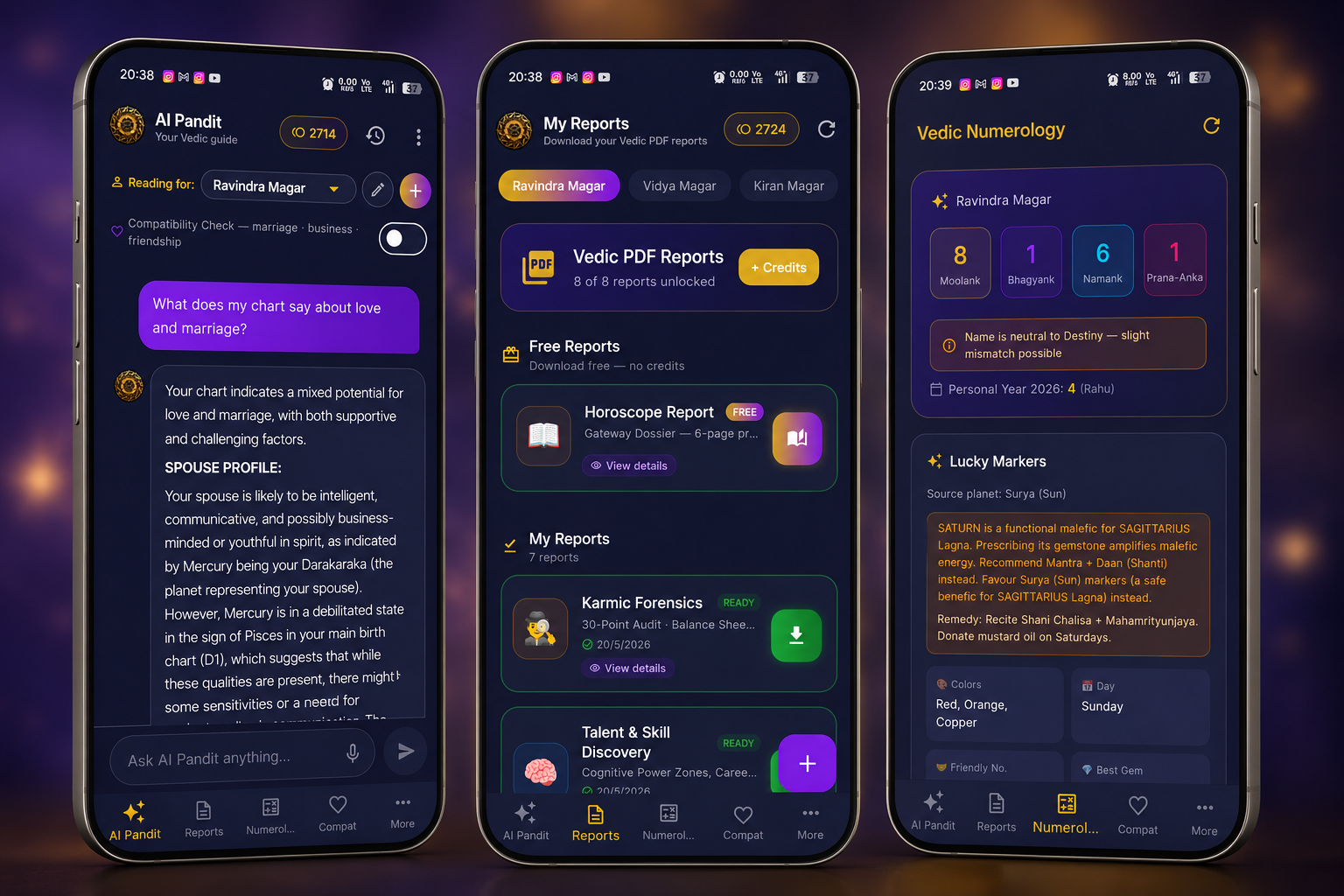
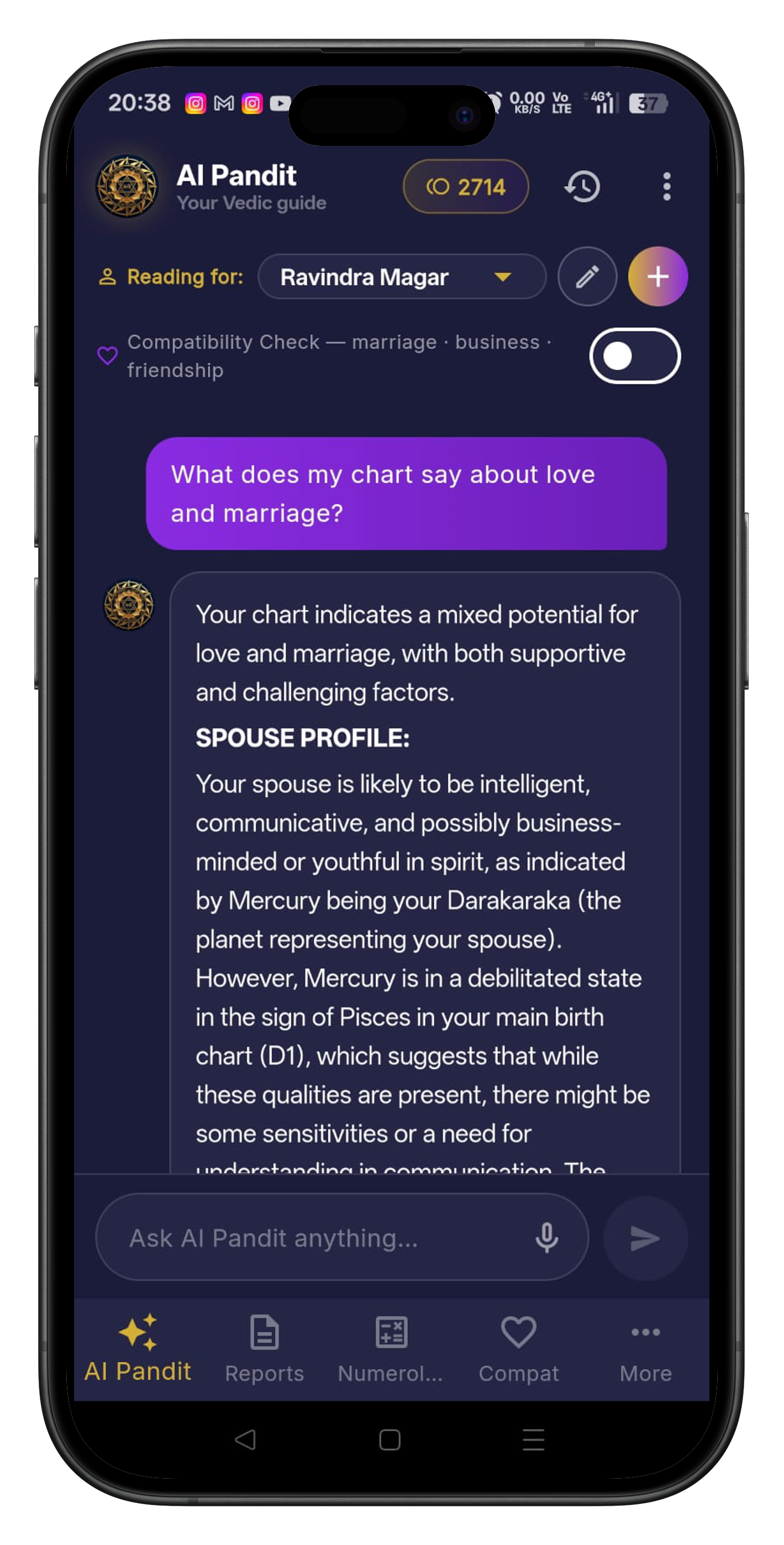
Features
Everything in your pocket
No astrology knowledge needed — just ask in plain language
🔮
Instant Kundli
Full Vedic birth chart — all 9 planets, 12 houses, Lagna, Navamsa, Bhava Chalit and KP system
🤖
AI Pandit Chat
Ask any life question in Hindi or English — get personalized answers based on YOUR chart, not generic horoscopes
🔢
Numerology
Vedic Anka Shastra — Life Path, Destiny, Soul Urge numbers + Prana Anka lunar soul layer
📅
Daily Panchang
Tithi, Nakshatra, Yoga, Karana, Rahukaal — auspicious timings for every day
⏳
Dasha Predictions
Vimshottari Dasha — know which planet rules your life now and what period is coming next
💑
Kundli Matching
Ashtakuta marriage compatibility (36 points), Mangal Dosha comparison, full relationship analysis
🪐
Yogas & Doshas
Raj Yoga, Dhana Yoga, Kaal Sarp Dosha, Mangal Dosha — identified with remedies
🌍
Transit Analysis
Real-time planetary movements vs your birth chart — know what is affecting you right now
⏰
Muhurta Finder
Best auspicious times for travel, job interview, business launch, medical procedures and ceremonies
📊
Cosmic Compass
12-domain life blueprint scoring — career, relationships, wealth, health, spirituality and more
🌙
Daily Rashifal
Personalized daily, weekly and monthly predictions for your Rashi and Lagna
🏠
Bhava Chalit
True house position chart for more accurate life predictions — used by professional astrologers
🔭
KP Astrology
Krishnamurti Paddhati sub-lord system for precise event timing and prediction
🌐
14+ Languages
Hindi, English, Tamil, Telugu, Bengali, Marathi, Gujarati, Kannada, Malayalam, Punjabi and more
Installation Guide
How to install the APK
Android blocks apps from outside Google Play by default. Follow these 5 steps — takes under 2 minutes.
⚠️ Safe to install: This APK is the official Rajvidya AI Pandit app. The Android warning is shown for any app not yet on Play Store — it's a standard security prompt, not an indicator of danger.
1
Tap "Download Android APK" above
The file
ai-pandit-latest.apk will download to your phone's Downloads folder. You'll see a progress bar in your notification panel.2
Allow "Install unknown apps"
When the download completes, your browser may ask permission. Tap Settings and enable the toggle.
If not prompted, go to:
If not prompted, go to:
Settings → Apps → Special App Access → Install Unknown Apps → Chrome → Allow
📌 Samsung users: Settings → Biometrics and Security → Install Unknown Apps → select your browser → Allow
3
Open the downloaded APK file
Pull down your notification bar and tap the completed download, OR open your Files / Downloads app and tap
ai-pandit-latest.apk.4
Tap "Install" on the Android prompt
Android shows an install screen with app info. Tap Install. If you see "Play Protect blocked this app" — tap More details → Install anyway. This is normal for sideloaded apps and safe to proceed.
5
Open AI Pandit and create your account
Tap Open when installation finishes. Register with your name, email and WhatsApp number. Enter your birth details and start getting personalized Vedic guidance instantly — completely free to start.
✅ Updating the app: When a new version is released, simply download and install the new APK from this page. Your account and chat history are preserved automatically.
FAQ
Common questions
Is it safe to install? +
Yes — 100% safe. This is the official Rajvidya AI Pandit app. Android shows a warning for any app not yet on the Play Store, but this file is directly from us.
My phone says 'blocked by Play Protect' — what do I do? +
Tap 'More details' → then 'Install anyway'. Google Play Protect checks against known malware; since our app isn't on Play Store yet, it shows a generic warning. It's safe to proceed.
Will it work on iOS / iPhone? +
Currently Android only. iOS version is planned. For now, iPhone users can access AI Pandit through the website on rajvidya.com.
How do I update the app when a new version is released? +
Download and install the new APK from this page — it will automatically replace the old version. Your data and account are preserved.
The download isn't starting — what should I do? +
Try a different browser (Chrome works best). Or WhatsApp us at +91 70207 28659 and we'll send the APK file directly to you.
💬
Can't install? We'll help you right now
WhatsApp us — we'll guide you through the installation step by step
WhatsApp Support — +91 70207 28659
Free to Download
Start your Vedic journey today
Free birth chart · Personalized AI guidance · Ask your first question in minutes
Android only · iOS coming soon
Prefer direct install?
Download APK directly